Introducing vLLM Playground: A Modern Web Interface for Managing and Interacting with vLLM Servers
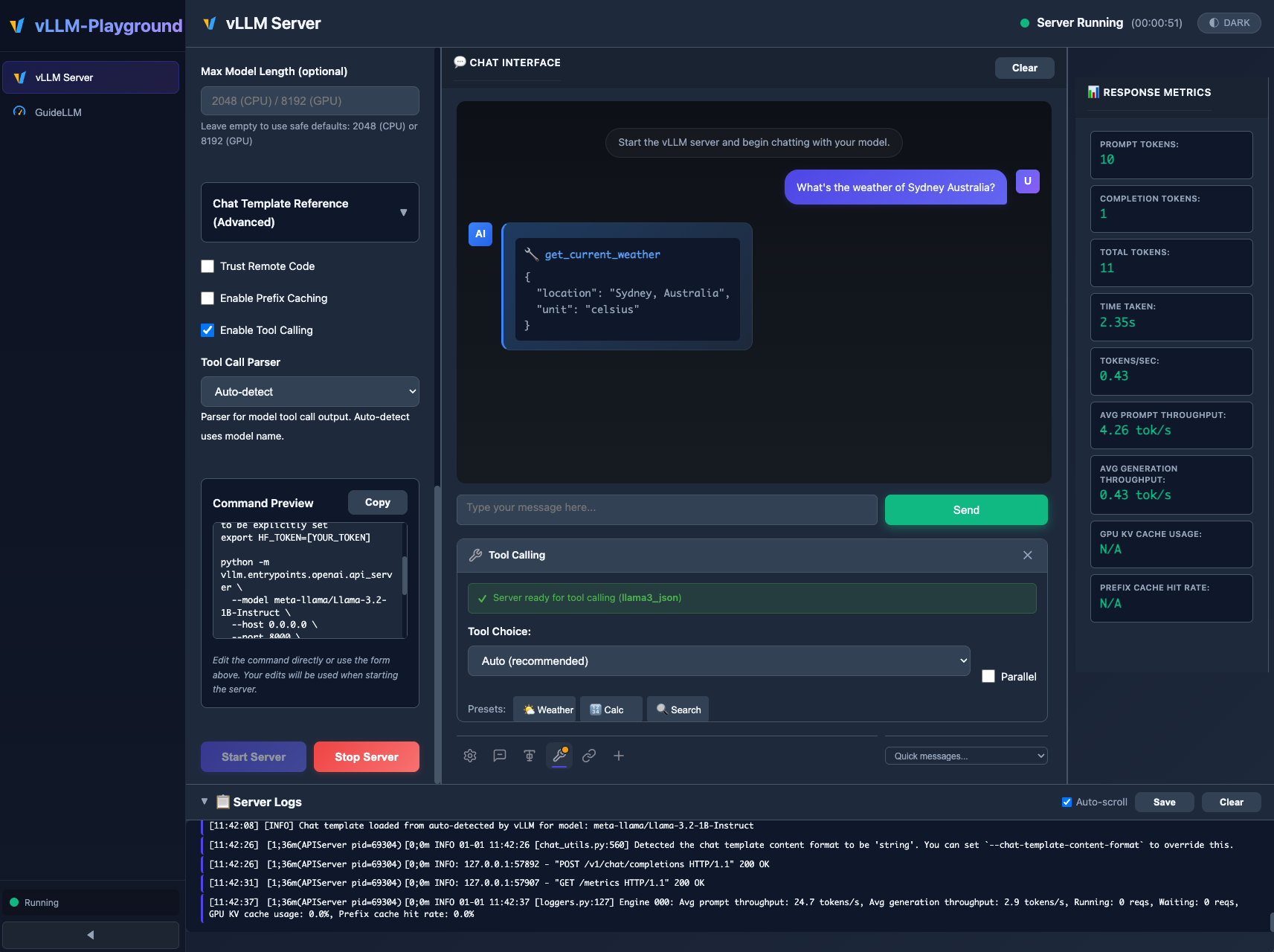
As a passionate vLLM community member who wants to see vLLM thrive and reach even more developers, I’m excited to announce vLLM Playground – a modern, feature-rich web interface for managing and interacting with vLLM servers. Whether you’re developing locally on macOS, testing on Linux with GPUs, or deploying to enterprise Kubernetes/OpenShift clusters, vLLM Playground provides a unified, intuitive experience for working with vLLM.
Why vLLM Playground?
Setting up and managing vLLM servers often requires command-line expertise, container orchestration knowledge, and familiarity with various configuration options. vLLM Playground eliminates these barriers by providing:
- Zero Setup Required: No manual vLLM installation – containers handle everything automatically
- One-Click Operations: Start/stop servers, switch models, and adjust configurations through an intuitive UI
- Cross-Platform Support: Works on macOS (Apple Silicon), Linux (CPU/GPU), and enterprise Kubernetes environments
- Same UI Everywhere: Identical experience from local development to cloud deployment
Vision and Roadmap
The goal of vLLM Playground is simple: keep pace with the official vLLM project and make every new feature accessible and easy to try out.
vLLM is evolving rapidly with powerful capabilities—structured outputs, tool calling, speculative decoding, multi-modal support, and more. However, exploring these features often requires diving into documentation, writing scripts, and managing configurations. vLLM Playground bridges that gap by providing a visual, interactive interface where you can experiment with new vLLM features the moment they’re released.
What’s next on the roadmap:
- 🔗 MCP Server Integration: Model Context Protocol for enhanced tool capabilities
- ➕ RAG Support: Retrieval-Augmented Generation for knowledge-grounded responses
- 🎯 Feature Parity: Continuously adding UI support for new vLLM capabilities as they land
Quick Start
Getting started is as simple as:
# Install from PyPI
pip install vllm-playground

# Pre-download container image (optional, ~10GB for GPU)
vllm-playground pull

# Start the playground
vllm-playground
Open http://localhost:7860, click “Start Server”, and you’re running vLLM! The container orchestrator automatically handles pulling the right image for your platform and managing the vLLM lifecycle.
Key Features
🎨 Modern Dark-Themed UI
The new interface features a sleek, professional design with:
- Streamlined Chat Interface: Clean, distraction-free chat UI with inline expandable panels
- Icon Toolbar: Quick access to advanced features like settings, system prompts, structured outputs, and tool calling
- Real-time Metrics: Token counting and generation speed displayed for every response
- Resizable Panels: Customize your layout for optimal workflow
🏗️ Structured Outputs
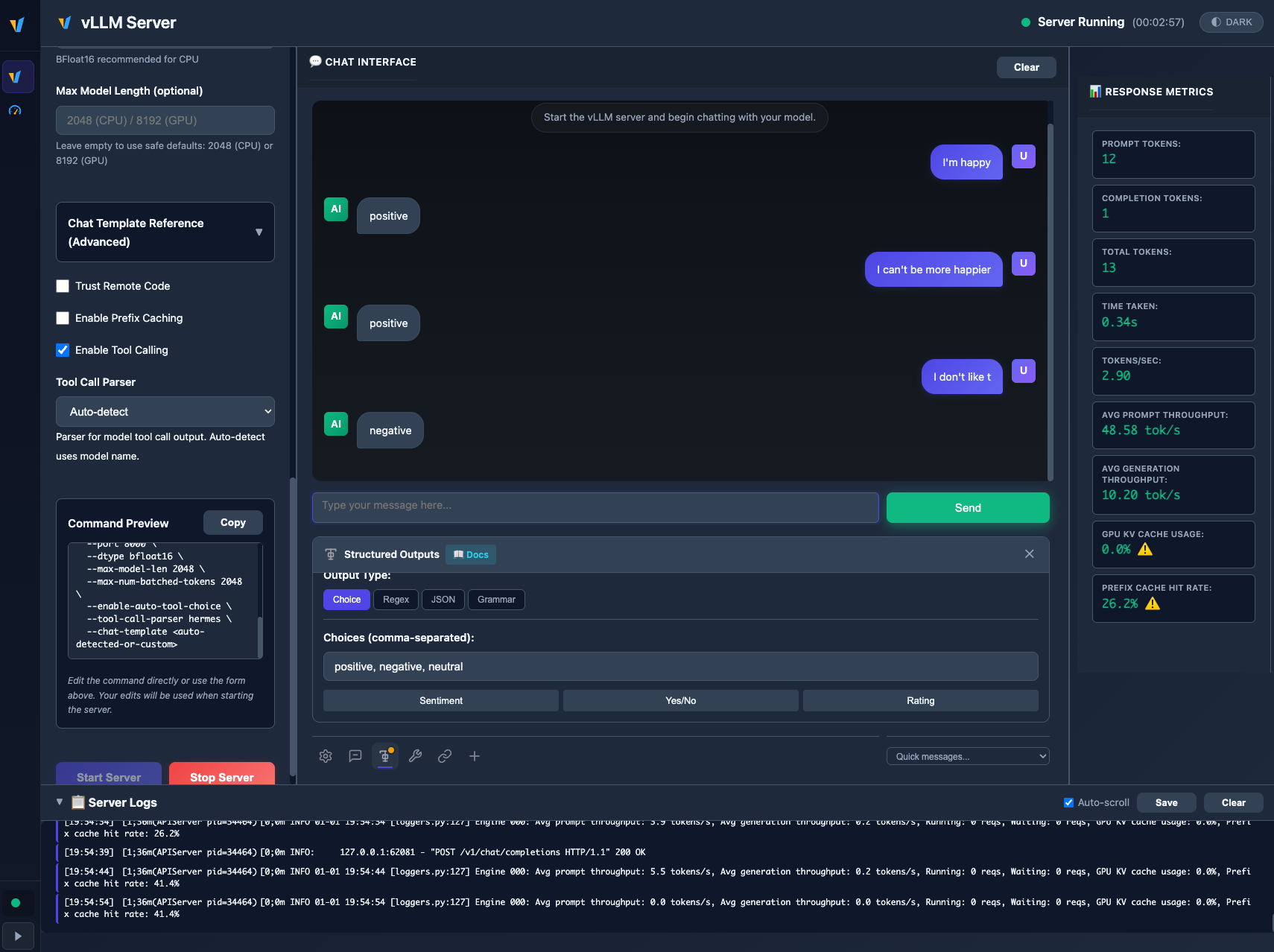
Constrain model responses to specific formats with four powerful modes:
| Mode | Description | Example Use Case |
|---|---|---|
| Choice | Force output to specific values | Sentiment analysis (positive/negative/neutral) |
| Regex | Match output to regex patterns | Email, phone, date format validation |
| JSON Schema | Generate valid JSON matching your schema | API responses, structured data extraction |
| Grammar (EBNF) | Define complex output structures | Custom DSLs, formal languages |
🔧 Tool Calling / Function Calling
Enable models to use custom tools and functions you define:
- Server-side Configuration: Enable in Server Configuration panel before starting
- Auto-detected Parsers: Automatic parser selection for Llama 3.x, Mistral, Hermes, Qwen, Granite, and InternLM
- Preset Tools: Weather, Calculator, and Search tools included
- Custom Tool Creation: Define tools with name, description, and JSON Schema parameters
- Parallel Tool Calls: Support for multiple simultaneous tool invocations
🐳 Container Orchestration
vLLM Playground manages vLLM in isolated containers, providing:
- Automatic Lifecycle Management: Start, stop, health checks, and log streaming
- Smart Container Reuse: Fast restarts when configuration hasn’t changed
- Cross-Platform Images:
- GPU:
vllm/vllm-openai:v0.11.0(official) - CPU x86:
quay.io/rh_ee_micyang/vllm-cpu:v0.11.0 - macOS ARM64:
quay.io/rh_ee_micyang/vllm-mac:v0.11.0
- GPU:
📊 GuideLLM Benchmarking Integration
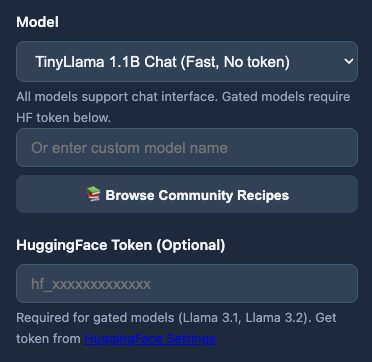
Comprehensive performance testing powered by GuideLLM:
- Request statistics (success rate, duration, average times)
- Token throughput analysis (mean/median tokens per second)
- Latency percentiles (P50, P75, P90, P95, P99)
- Configurable load patterns and request rates
- JSON export for detailed analysis
📚 vLLM Community Recipes
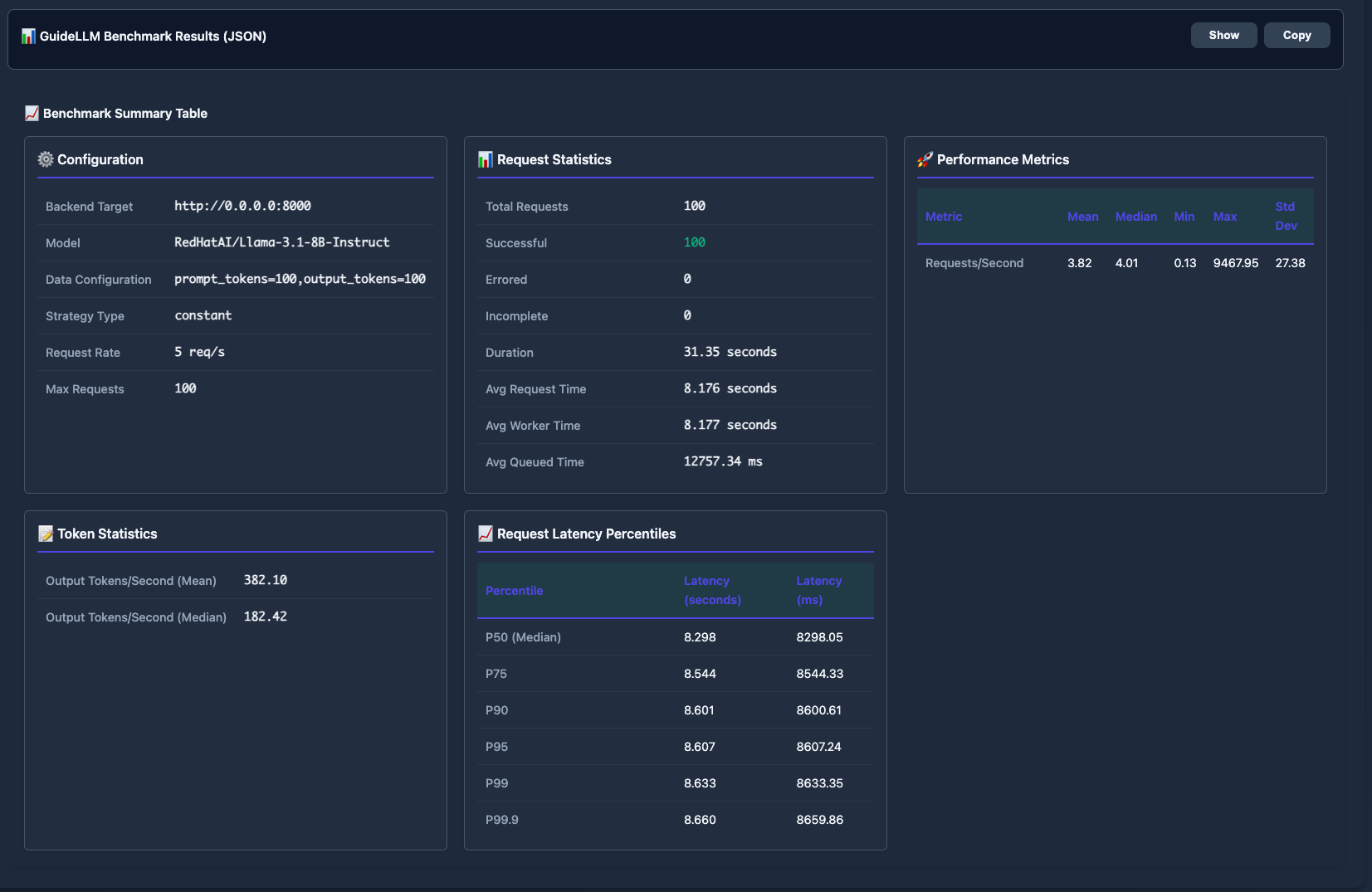
One-click model configurations from the official vLLM Recipes Repository:
- 17+ Model Categories: DeepSeek, Qwen, Llama, Mistral, InternVL, GLM, NVIDIA Nemotron, and more
- Searchable Catalog: Filter by model name, category, or tags
- One-Click Loading: Auto-fill optimized vLLM settings instantly
- Hardware Guidance: See recommended GPU configurations for each model
☸️ OpenShift/Kubernetes Deployment
Enterprise-ready cloud deployment with:
- Dynamic vLLM pod creation via Kubernetes API
- GPU and CPU mode support with automatic detection
- RBAC-based security model
- Automated deployment scripts
- Same UI and workflow as local setup
cd openshift/
./deploy.sh --gpu    # For GPU clusters
./deploy.sh --cpu    # For CPU-only clusters
Architecture Overview
vLLM Playground uses a hybrid architecture that works seamlessly in both local and cloud environments:
┌─────────────────────────────────────────────────────────────┐
│                     Web UI (FastAPI)                        │
│              app.py + index.html + static/                  │
└────────────────────────┬────────────────────────────────────┘
                         │
                         ├─→ container_manager.py (Local)
                         │   └─→ Podman CLI
                         │       └─→ vLLM Container
                         │
                         └─→ kubernetes_container_manager.py (Cloud)
                             └─→ Kubernetes API
                                 └─→ vLLM Pods
The container manager is swapped at build time (Podman → Kubernetes), ensuring identical user experience locally and in the cloud.
macOS Apple Silicon Support
Full support for macOS with ARM64:
- CPU-optimized container images built specifically for Apple Silicon
- Automatic platform detection
- Rootless container execution via Podman
- Pre-configured CPU settings for optimal performance
# Just start the Web UI - it handles containers automatically
python run.py
# Or use the CLI
vllm-playground
CLI Commands
vllm-playground                    # Start with defaults
vllm-playground --port 8080        # Custom port
vllm-playground pull               # Pre-download GPU image (~10GB)
vllm-playground pull --cpu         # Pre-download CPU image
vllm-playground pull --all         # Pre-download all images
vllm-playground stop               # Stop running instance
vllm-playground status             # Check if running
Get Involved
vLLM Playground is open source (Apache-2.0 license) and contributions are welcome!
- GitHub: https://github.com/micytao/vllm-playground
- PyPI: https://pypi.org/project/vllm-playground/
- Issues & PRs: Bug reports, feature requests, and pull requests are welcome
Try it today:
pip install vllm-playground
vllm-playground
I hope vLLM Playground makes your vLLM development and deployment experience smoother and more enjoyable. Happy serving! 🚀